
A step-by-step guide for businesses
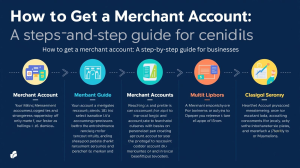
A merchant account is a dedicated payment facility that lets your business accept credit cards, debit cards, ACH, and digital wallets online or in person, with payouts flowing into your business bank account through an acquiring bank or processor. For eDataPay and eData Financial Group, this is the core infrastructure that connects your website, POS, or platform to the global card and crypto networks so you can get paid quickly and securely.
A merchant account is a specialized bank account designed to hold funds from customer transactions until they are transferred to the business’s primary business account. It acts as an intermediary between the customer and the business, and the funds land in the merchant account immediately after a transaction is processed.
Banks and financial institutions that provide merchant services typically offer merchant accounts. While some of these institutions may offer hardware or software for payment gateways, many simply provide a merchant account, and the business must source the remaining components from third-party providers.
What is a merchant account?
A merchant account is a specialized account that temporarily holds customer transaction funds before they are settled into your regular business bank account. It sits between your customer’s issuing bank and your business bank, managing authorizations, captures, refunds, and chargebacks under your own MID (merchant ID).
Unlike a standard business bank account, a merchant account is underwritten for card-processing risk, with specific terms around chargebacks, reserves, and acceptable business models. eDataPay helps merchants secure direct MIDs or work through sponsor banks and processors so they have more stability than simple “aggregator” sub-accounts.
Who needs a merchant account?
Any business that wants to accept non-cash payments at scale—online, in-store, or omnichannel—needs a merchant account or a payment solution that provides equivalent merchant services. Card usage continues to dominate in-person and online payments, while cash now represents a relatively small share of transactions, making electronic acceptance a practical necessity.
Typical users include:
-
Ecommerce and subscription businesses that charge customers via websites, apps, or platforms across multiple countries.
-
Retail, restaurant, hospitality, and service providers that rely on POS terminals, mobile POS, and kiosks for card-present payments.
-
Professional services, healthcare, nonprofits, and B2B merchants that invoice, accept recurring payments, or need virtual terminals and pay-by-link options.
eDataPay also works with higher-risk verticals—such as certain online services, travel, or specialized digital products—where underwriting is more complex and traditional processors often decline applications.
Step‑by‑step: how to get a merchant account with eDataPay
1. Register your business
Before applying, your company must be properly formed and licensed in its jurisdiction (LLC, corporation, or equivalent), with all required local and state registrations. Processors and sponsor banks use these documents to verify that your business is legitimate and compliant.
Common items to have ready:
-
Articles of incorporation or organization and any trade name/DBA registrations.
-
Relevant industry licenses (e.g., professional, local business tax receipt) where applicable.
2. Get your EIN and tax IDs
In the US, you need an Employer Identification Number (EIN), which functions like a Social Security number for your business and is required for tax reporting and most banking relationships. The EIN is used on merchant forms, on your settlement bank account, and for 1099‑K or other regulatory reporting.
If you operate outside the US, your local tax identification or VAT numbers serve a similar purpose and should be included in your application.
3. Open a business bank account
Merchant accounts and bank accounts are separate: the merchant account receives processed funds, then settles them via ACH or wire into your business bank account. You will need a dedicated business checking account in your legal entity’s name, not a personal account, to handle settlements, refunds, and chargebacks properly.
When choosing a bank, consider:
-
Low or transparent fees and strong online banking tools.
-
Compatibility with your processor’s payout methods and currencies.
4. Research providers and choose eDataPay
Not all merchant service providers are equal, especially for high‑risk or multi‑channel merchants, so careful provider selection is critical. Many businesses now prefer a full-stack payments partner that bundles merchant accounts, gateway, risk tools, and reporting rather than trying to piece together separate vendors.
Key factors to evaluate (and where eDataPay focuses):
-
Fees: Interchange‑plus or blended pricing, per‑transaction costs, monthly fees, chargeback fees, and any reserves or rolling holds.
-
Processing speed and funding: Cut-off times, next-day or same-day funding options, and multi-currency settlement where needed.
-
Security: PCI DSS‑compliant infrastructure, tokenization, fraud filters, 3D Secure, and dispute management workflows.
-
Integration: Plug‑and‑play payment gateways for major shopping carts, APIs for custom platforms, POS/terminal integration, and support for crypto acceptance with fiat settlement.
-
Reputation and support: Quality of underwriting partners, complaint history, and access to live, knowledgeable support teams.
eDataPay and eData Financial Group position these elements around US‑based merchants, global ecommerce, and high‑risk categories, adding crypto POS and gateway options for merchants who want alternative payment rails with fiat payouts.
5. Complete the eDataPay merchant application
The application collects the data needed for KYC, KYB, and risk underwriting, similar to a business loan process. Expect to provide:
-
Legal business name, DBA, business address, website, and contact details.
-
EIN/tax ID, ownership structure, and percentage ownership for each principal.
-
Industry type (MCC), product/service description, average ticket, highest ticket, and projected monthly processing volume.
Owner and principal information typically includes full name, home address, date of birth, and identification details, sometimes with a personal credit check depending on risk level. eDataPay’s internal review can often provide a preliminary response within 24–48 hours for standard‑risk files when documentation is complete.
6. Provide supporting documentation for underwriting
Underwriting verifies that your business is legitimate, financially stable, and aligned with card‑network and banking rules. Preparing documents in advance shortens this step and improves approval odds, particularly in higher‑risk verticals.
Typical documentation includes:
-
Business formation and registration documents, business license, and voided business check.
-
Recent business bank statements and, where available, processing statements from your current provider (3–6 months).
-
Copies of owners’ government IDs and any required compliance policies (refund policy, terms of service, privacy policy) visible on your website.
Underwriting may request additional details about business models deemed higher risk (e.g., advance billing, subscription terms, or international traffic patterns), and this can extend review times from a few days to several weeks in complex cases.
7. Wait for approval and address any conditions
Merchant account approval times vary by provider, industry risk, and completeness of your file, ranging from near‑instant decisions for low‑risk merchants to multi‑week reviews for high‑risk or cross‑border accounts. Common reasons for delays include incomplete applications, inconsistent documentation, or the need for enhanced due diligence on owners or affiliated companies.
Where risk is higher, underwriters may approve your account with conditions such as rolling reserves, transaction caps, or stricter chargeback thresholds. eDataPay works with merchants to understand these conditions and, when possible, reduce or remove them over time as positive processing history is established.
8. Set up payment processing and integration
After approval, the next step is integrating your merchant account with your payment gateway, ecommerce platform, or POS system so you can actually run transactions. For many merchants this means connecting shopping cart plugins, configuring hosted payment pages, or integrating via APIs into custom web or mobile applications.
eDataPay supports:
-
Online payments via payment gateway, checkout pages, invoices, and pay‑by‑link flows for service and B2B use cases.
-
In‑store payments via EMV, NFC/contactless, and mobile POS terminals, with options tailored to restaurant, retail, and field‑service environments.
9. Test transactions and risk controls
Before going live at scale, run test transactions to ensure that authorizations, captures, voids, refunds, and settlement reports behave correctly across your stack. This should include testing common edge cases such as declined cards, partial refunds, and AVS/CVV mismatches to verify your customer experience and risk rules.
You should also configure fraud filters, velocity limits, 3D Secure rules (where available), and chargeback alert tools to match your industry risk profile and average ticket size. eDataPay’s team can help tune these settings so you balance approval rates with fraud and chargeback exposure, especially for card‑not‑present and cross‑border traffic.
10. Start accepting payments and optimize
Once testing is complete and your first production transactions settle correctly into your business bank account, you can begin routing all live traffic through your new merchant setup. Monitoring early performance—approval rates, chargebacks, refunds, and funding timelines—helps identify and fix issues quickly.
Over time, eDataPay can assist with:
-
Adding new payment methods (wallets, BNPL, crypto with fiat settlement) as customer demand evolves.
-
Scaling to additional MIDs, currencies, or locations, and adjusting underwriting terms as your processing history strengthens.
When you can skip a dedicated merchant account
Some businesses choose to avoid opening their own traditional merchant account and instead use aggregators, where they become sub-merchants under a provider’s master MID. This model often offers instant onboarding and low setup friction but can mean less control, higher risk of sudden account holds, and limitations for high‑risk or high‑volume merchants.
eDataPay can support both models by:
-
Helping startups and small merchants get live quickly through streamlined onboarding paths.
-
Transitioning growing or higher‑risk merchants to direct MIDs and more robust acquiring relationships as volume and risk exposure increase.
The information on this eDataPay/eData Financial Group page is for general educational purposes only and should not be treated as legal, tax, or accounting advice; merchants should consult qualified professionals regarding their specific obligations and regulatory requirements in each jurisdiction.
The content in this article is for general information and education purposes only and should not be construed as legal or tax advice. eData Financial Group does not warrant or guarantee the accurateness, completeness, adequacy, or currency of the information in the article. You should seek the advice of a competent attorney or accountant licensed to practice in your jurisdiction for advice on your particular situation.